
The Baji app is an Android download of about 6.8 MB that you get from the operator, not from Google Play. There is no iPhone version. It runs the same account, the same balance and the same odds as the website — what you gain is a session that stays signed in, faster live betting, and something that keeps working when an address gets blocked.
Why the Baji app is not on Google Play
Google only allows real-money gambling apps in a fixed list of countries, and Bangladesh is not on it. That is a Play Store policy, not a comment on the app. It means no genuine Bangladeshi betting app can be listed there, so any Baji app download has to come as an APK file straight from the operator.
This is worth understanding rather than worrying about, because it changes one thing that matters: where you download from becomes your whole security. Google is not checking the file for you.
What you get: Baji live app against the mobile site
Both are windows onto one account. Sign in on either and your money, your bets and your verification are the same. The differences are practical.
- The app stays signed in. It keeps your session on the phone. The browser keeps it in a cookie, and cookies die when you clear your history.
- Live betting is quicker. The interface is already on your phone, so only the odds have to travel.
- Blocked addresses stop mattering. A browser dies with the domain. The installed app carries on.
- The mobile site needs nothing. No install, no permission, no storage, and it updates itself.
| Android app | Mobile site | |
|---|---|---|
| Install | APK plus one permission | None |
| Updates | You download each new build | Automatic |
| Stays signed in | Days, survives restarts | Hours, dies with your cookies |
| Live betting speed | Only the odds reload | More of the page reloads |
| If the address is blocked | Keeps working | Stops |
| Storage used | About 6.8 MB plus cache | Browser cache only |
If you have already lost access once because an address stopped loading, install the app. If you play occasionally from one phone, the mobile site is enough.
Installing it
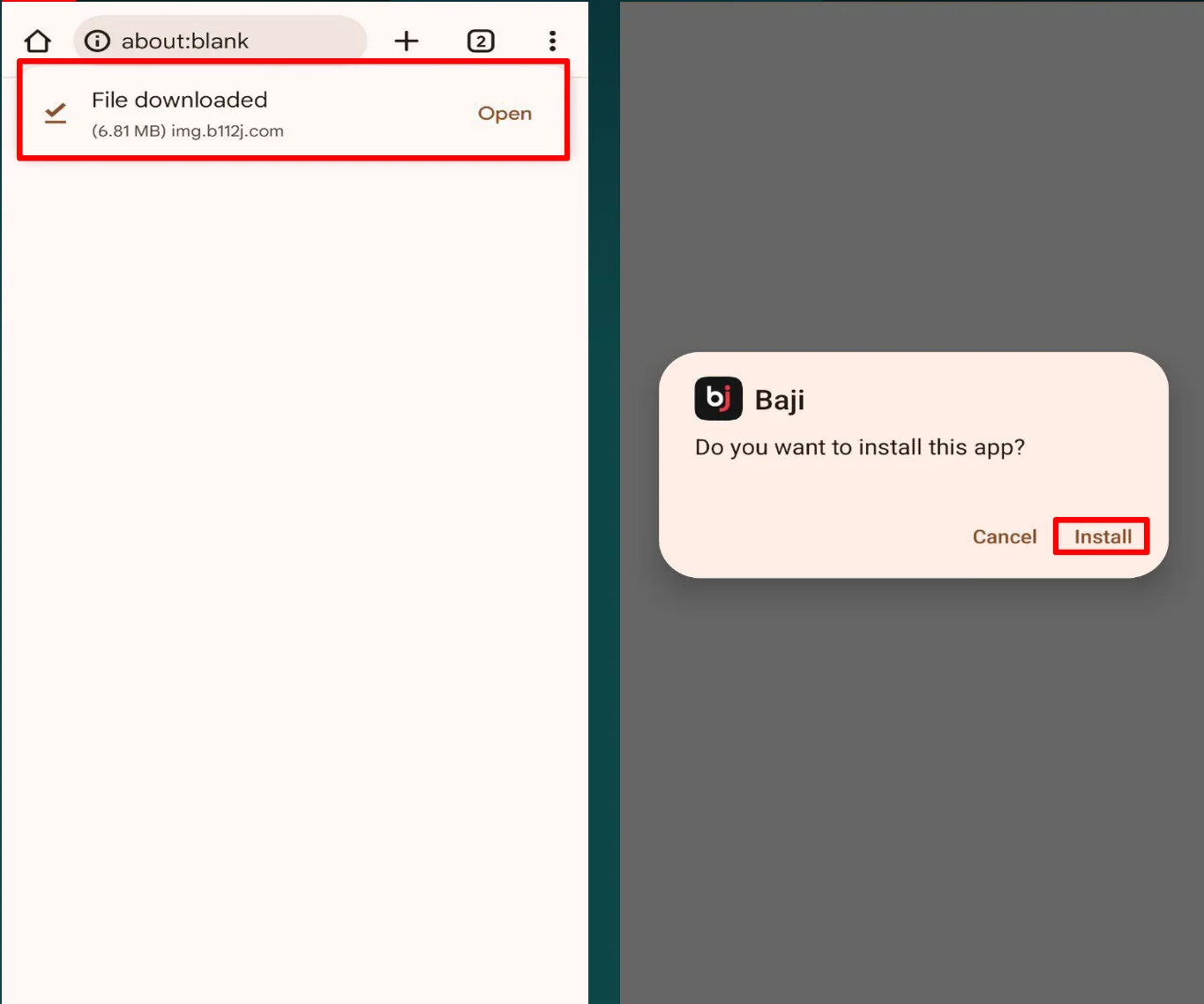
Downloading it takes one step more than a Play Store install. On Android 8 and later:
- Open the operator’s download link and let the APK finish downloading.
- Tap the file. Android refuses, then hands you a shortcut into the right settings screen.
- Switch on “Allow from this source” for whatever is installing — usually Chrome or your Files app.
- Go back to the file and install it.
That permission covers one app only, so allowing Chrome does not open the rest of your phone to anything. On Android 7 and older there is a single Unknown sources switch in security settings instead, and it is worth turning it back off once you are finished.
If the install fails with a parsing error, the download did not finish. Delete the file and pull it again on a stable connection rather than tapping it repeatedly.
Keeping it updated
Nothing updates itself here. Nothing on the Play Store is watching for a new build, so a file saved three months ago stays exactly as it was.
You will know it is stale when matches stop loading, the interface looks different from what other people describe, or a section opens to a blank screen. That is not a fault to troubleshoot. Download the current APK and install it over the top — your account and any open bets are on the server, not on the phone, so nothing is lost by reinstalling.
Where you download from is the whole security question
Betting apps are one of the most repackaged categories on Android. Somebody takes the real APK, adds code, and puts it back out under the same name and icon. It looks identical, it works identically, and it now sends your login and your payment details somewhere else.
Since a betting app holds both of those, a tampered copy holds both of them. The rule is simple: take the file from the operator’s own link and nowhere else. Not from an APK mirror, not from a Telegram group, not from a link in a message. If an app starts behaving oddly after you updated it from somewhere unofficial, uninstall it and reinstall from source.
One more check that costs nothing: the app should ask for very little. A betting app needs storage and network. It has no business asking for your contacts, your SMS or your call log, and a build that does has been modified.
Where the download link comes from
Every entry point the operator runs publishes the same download link, so it makes no difference which address you start from — the file is one file.
Numbers in a link mark the address it sat on, not the software behind it. A numbered page pulls the current build, and a differently numbered page pulls that same build a second later. The brand address and the short BJ doors behave no differently. What the Bangladesh entry adds is the default language: a baji app bangladesh download opens in English with taka as the balance currency.
A baji game download is that same package again. No games-only file exists, because the casino sits inside the one app alongside the sportsbook.
If a page offers you several files to choose from, you are not on the operator’s page. There is one current build, and every genuine link points at it.
Numbered and lettered versions of the app
The name on a download tells you which address it came from, not which software you are getting. A bd baji app opens with Bangladesh preselected. A page that advertises a VIP app carries nothing extra behind it, because VIP is a tier on your account rather than a separate application — and a shorter number in front of the name is still the ordinary build.
However you got the file, what installs signs into the one account with the one password. No version has better odds, no version has extra games, and there is no reason to hunt for a particular number. Short doors, the brand domain and the long-running one all finish at the same file.
BJ is the short brand form used mostly for Pakistan. The Pakistani download changes the regional entry and nothing else — your currency comes from your account, not from the app you installed.
What the app can do that the site cannot
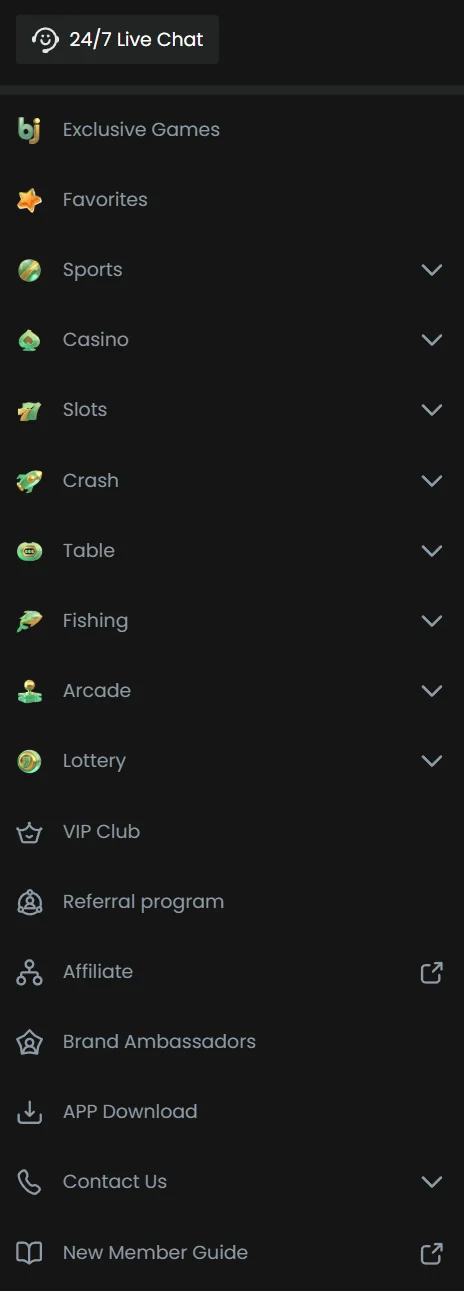
Not much, and that is the honest answer. The app is the same product in a faster wrapper.
What it genuinely adds is speed on markets that move ball by ball. A cricket baji app session repricing a live match reloads only the numbers, while a browser reloads more of the page each time. Over an over or two, that is the difference between getting the price you saw and getting the one after it moved.
Live betting inside it is the same live betting the site runs, just rendered faster. Everything else matches too: a baji casino app is the casino section inside the same app. A baji game app is the same thing said more loosely. Sport, casino and slots all arrive in the one download.
Signing up and signing in from the app
You can do a baji app sign up inside the app itself — the form is the same one the website shows, asking for a phone number, a password and a currency. Pick BDT if you are in Bangladesh, because changing it later means closing the account.
Signing in uses the same details as the website. The app holds that session much longer than a browser does, which is convenient and also means you should sign out before handing your phone to anyone.
The baji app 18+ restriction is not decorative. Age is verified at your first withdrawal, and an account that fails it loses the balance rather than just the payout.
The published requirements, checked in September 2026
| Item | What the operator states |
|---|---|
| Android version | 9.0 and newer |
| Download route | The App button at the top of the site, the Android icon at the foot of the page, or the direct file link the operator publishes |
| Sessions | One device at a time — signing in on the app signs you out of the browser, and the other way round |
| iOS | No separate installable build documented alongside the Android one |
The one-session rule catches people who leave the site open on a laptop and then open the app on a phone. Nothing is broken and nothing is stolen; the older session is simply ended. It matters most in the middle of a live market, where being signed out silently looks exactly like the account being locked.
Frequently asked questions
How do I download the Baji live app on an iPhone?
You cannot, because there is no iOS build. What works instead is opening the site in Safari, tapping the share button and choosing Add to Home Screen. That puts an icon on your phone that opens full-screen with no browser bars, so it behaves like an app. It updates itself and takes almost no storage, but it will not survive a blocked address the way the Android app does.
Will installing the app cost me my current session or my bets?
No. Everything lives on the server, not on your phone. Install it, sign in, and your balance, your bet history and your verification status are already there. The same is true in reverse — uninstalling the app does not touch your account, and open bets settle whether or not the app is on your phone.
The app installed but will not open. What now?
Usually the download was incomplete, which shows up as a crash on launch rather than an error during install. Delete the APK and the installed app, download again on a stable connection, and install fresh. If it still fails, check your Android version — very old phones fall below what the current build needs, and the mobile site is the answer on those.
Does the app use a lot of data?
Less than the browser for the same activity, because the interface is stored on your phone and only the odds and results travel. The exception is live dealer casino, which is video streaming and uses data at roughly the rate any video does. If you play live tables on mobile data, that is where your allowance goes.
Can I have the app on two phones?
Yes. Install it wherever you like and sign in with the same details, and the balance stays in sync. What draws attention is not the number of phones but two sessions running from far apart at the same moment, which looks like a stolen account and usually ends in a freeze until you verify.